Online appointments & consultation access
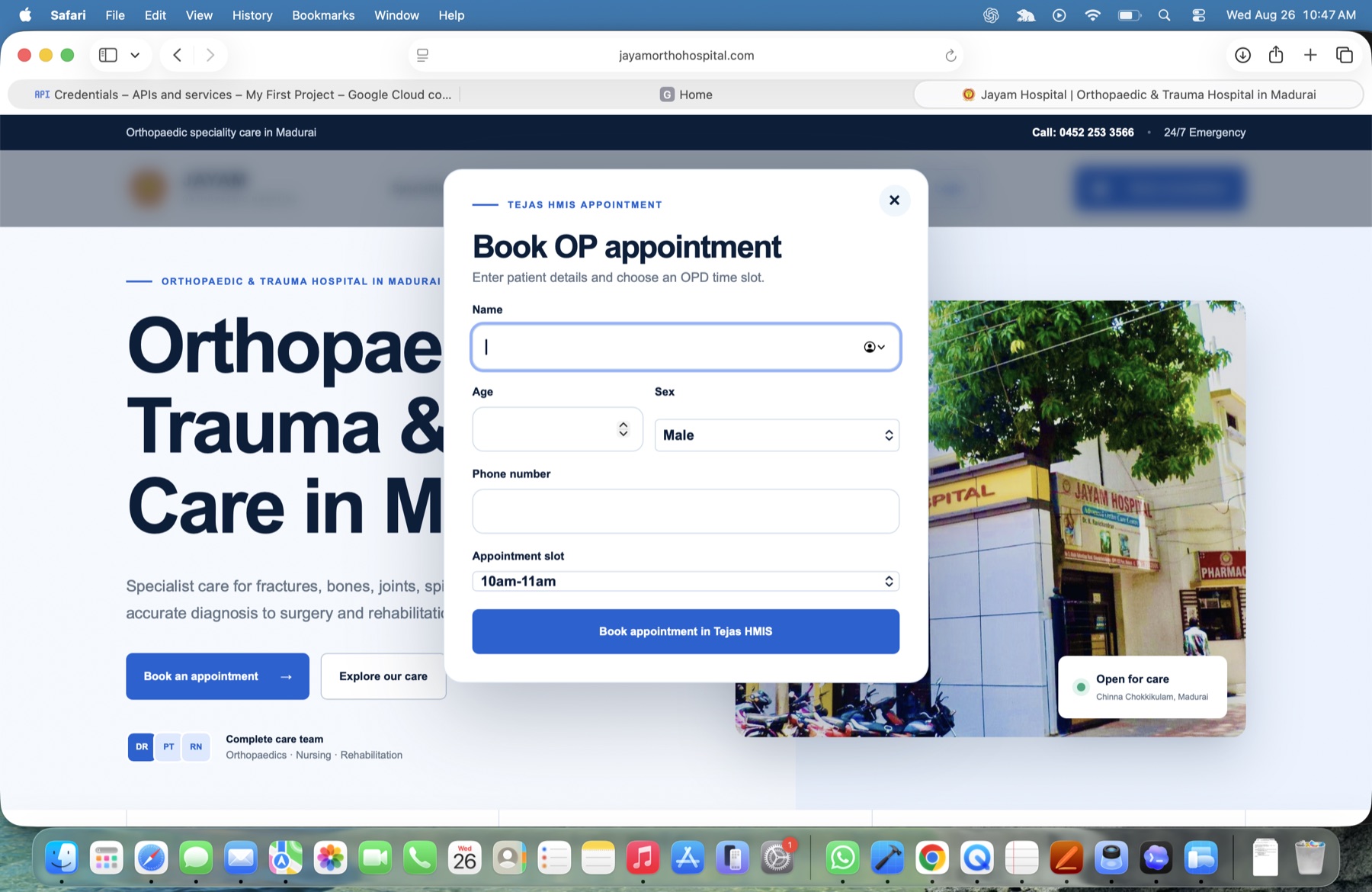
Let patients book OP appointments online while the hospital manages time slots and moves every booking directly into the connected outpatient workflow.
Cloud HMIS · Built for small hospitals
A customised hospital management information system that connects outpatient and inpatient care in one clear, cloud-based workspace—configured around the way each hospital actually works.
Designed for real workflows
Let patients book OP appointments online while the hospital manages time slots and moves every booking directly into the connected outpatient workflow.
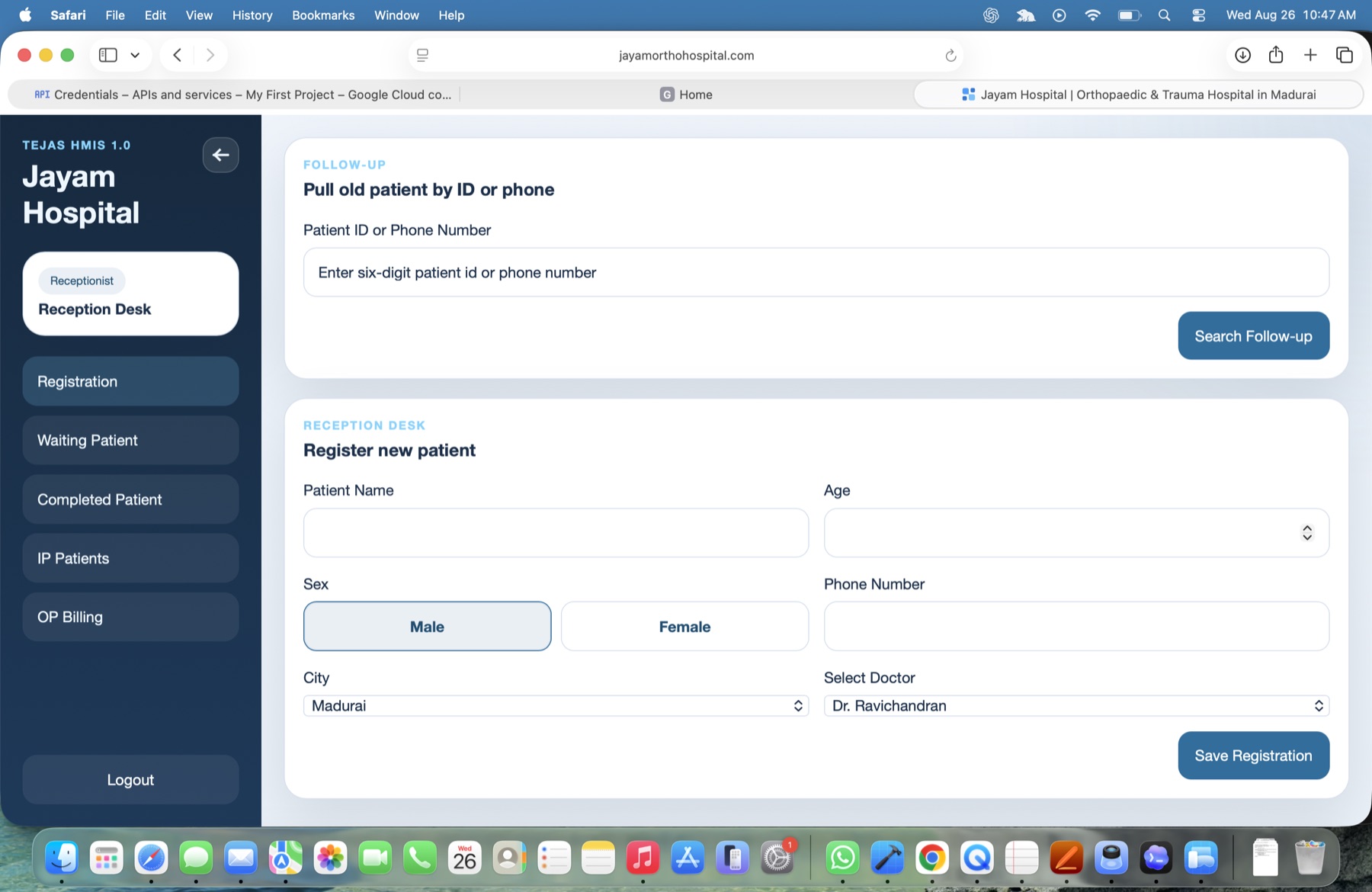
Register new patients, retrieve follow-up records, manage waiting and completed patients, and keep OP billing and IP admissions within one reception workspace.
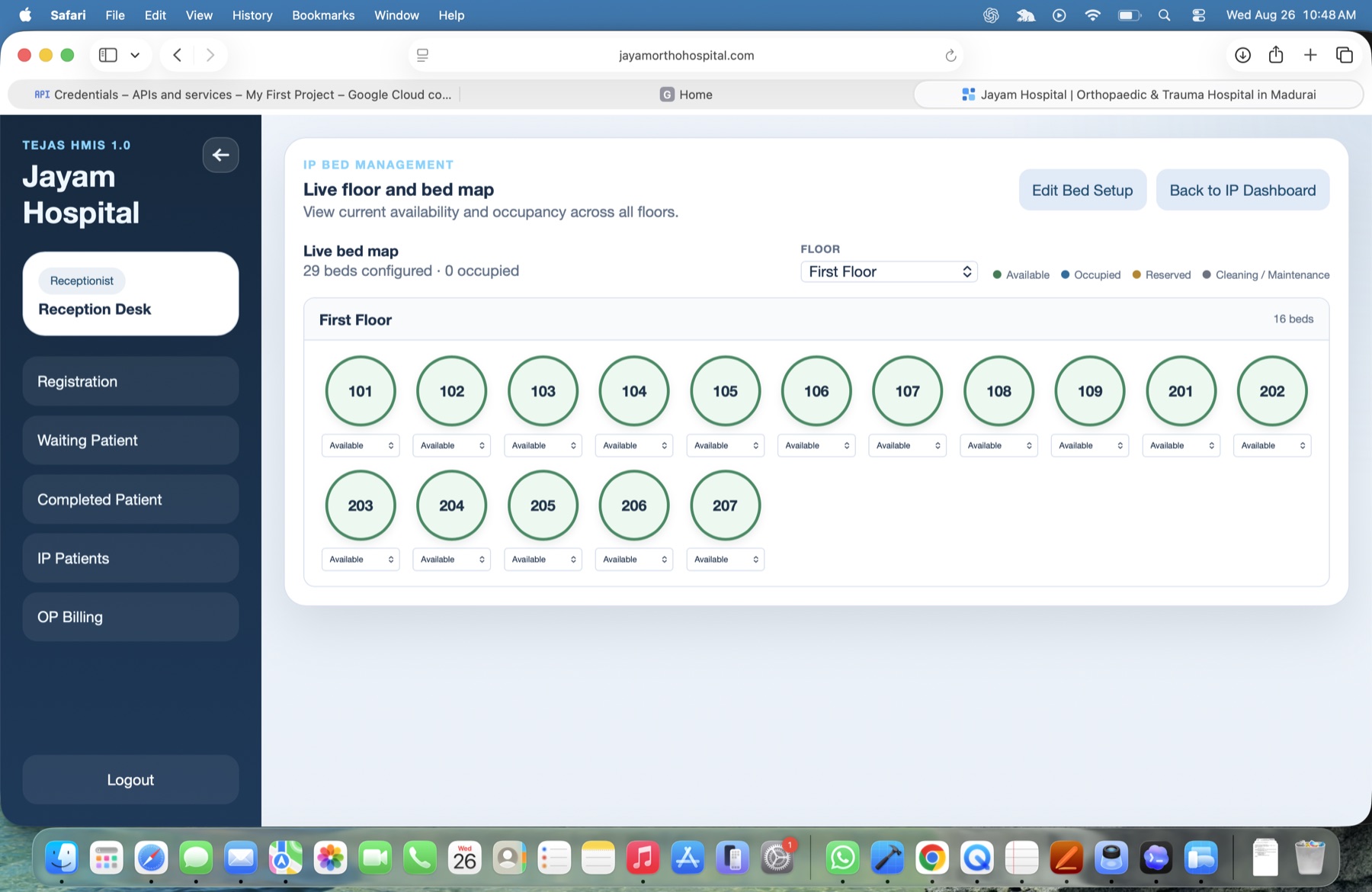
See live bed availability by floor, allocate beds, and track available, occupied, reserved, and maintenance states from a clear visual map.
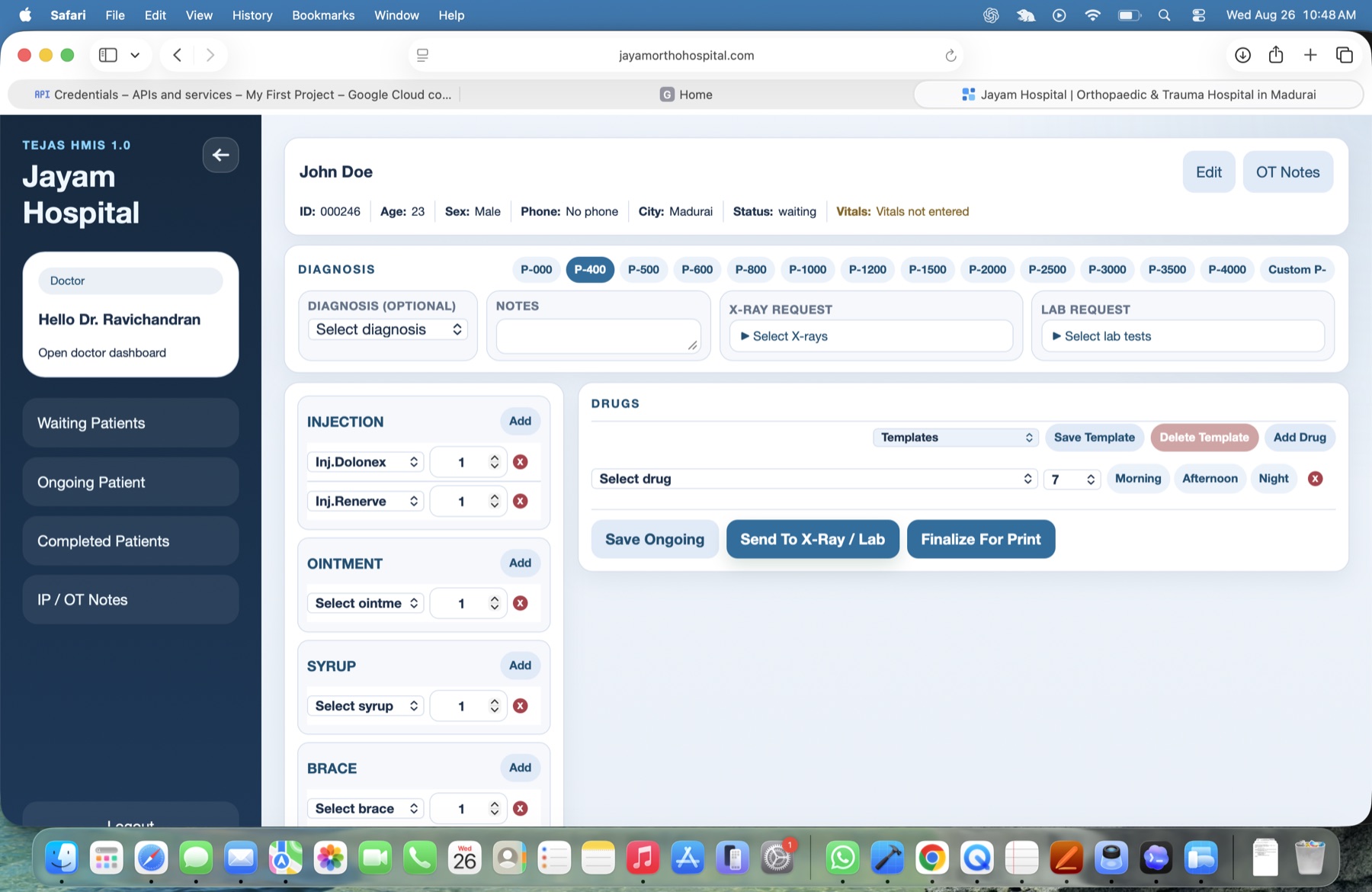
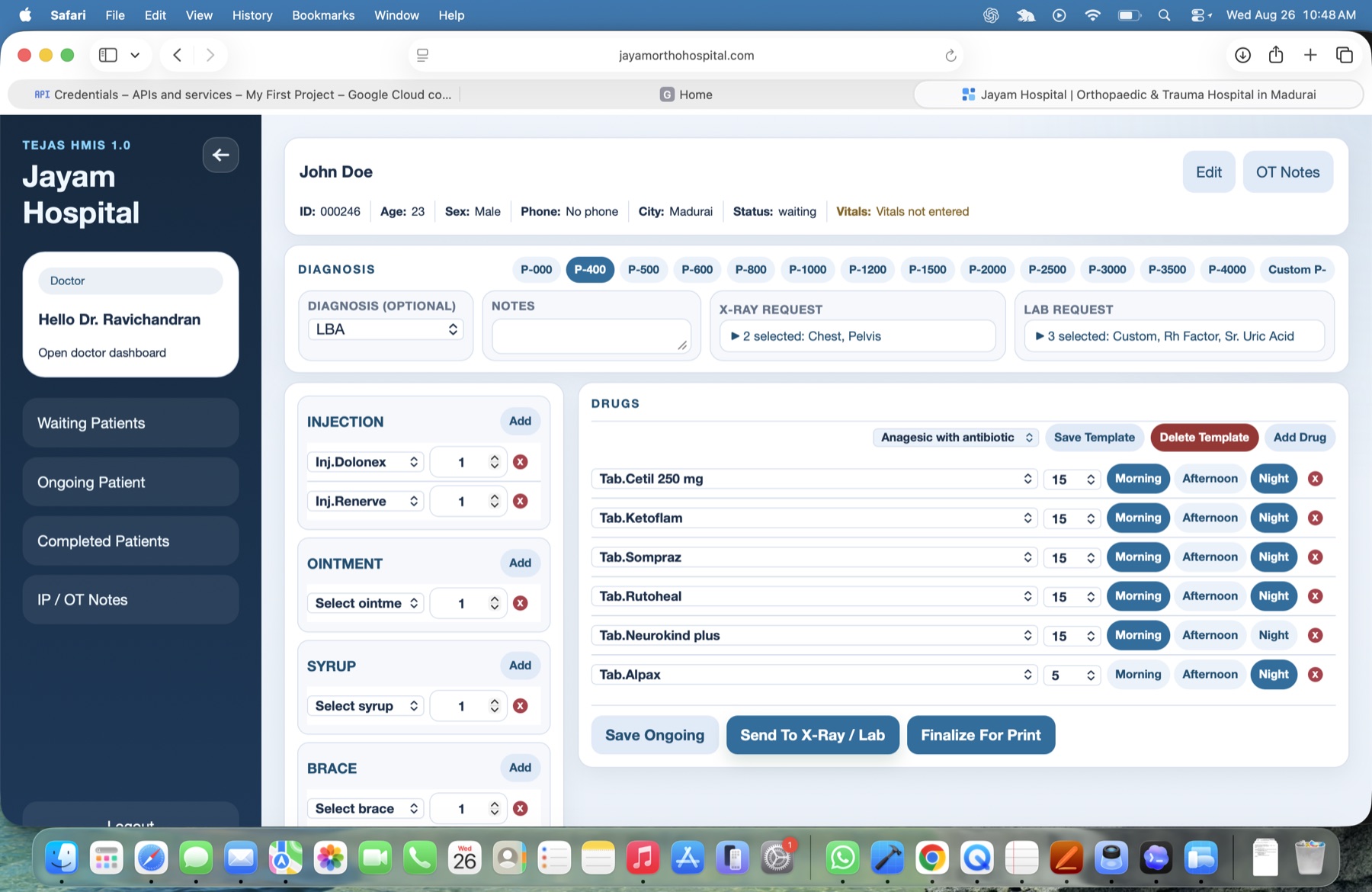
Give doctors a focused consultation screen for diagnosis, notes, prescriptions, injections, investigations, reusable drug templates, and print-ready records.
Configure departments, users, roles, forms, services, pricing, and day-to-day processes around the needs of a small hospital instead of forcing a generic enterprise system.
Give authorised teams access to current hospital information across supported devices, with role-based workflows and managed cloud infrastructure.
Inside the product
Patients can enter their details, choose an available OP time slot, and send the appointment straight into Tejas HMIS from the hospital website.
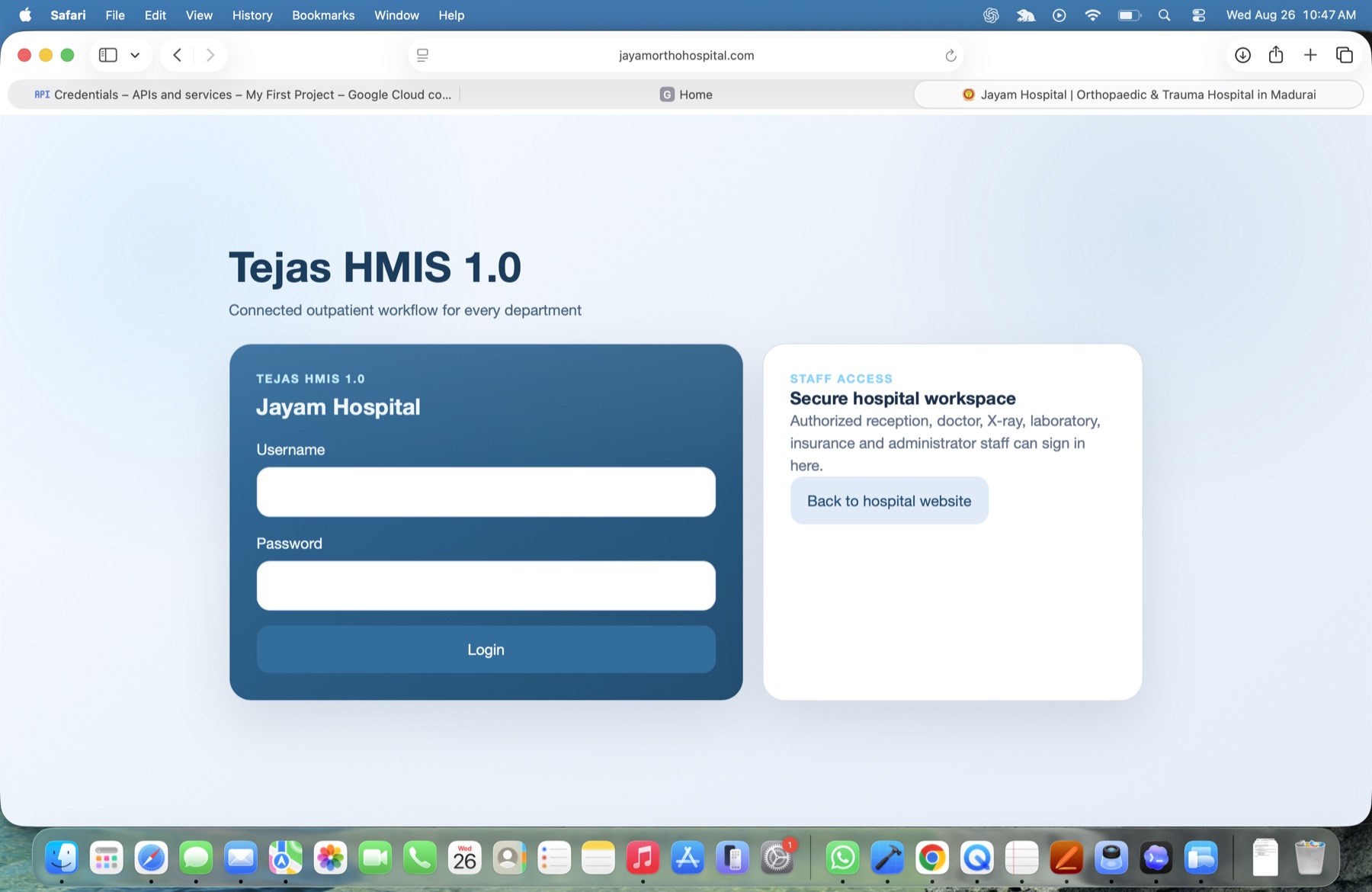
Reception, doctors, laboratory, X-ray, insurance, and administrators enter through a secure hospital workspace with access suited to their responsibilities.
Reception teams can retrieve returning patients, register new patients, choose the treating doctor, and move people through waiting, completed, billing, and IP workflows.
A floor-by-floor bed map makes capacity visible at a glance and supports real-time allocation and bed-status management.
Doctors can document diagnosis and notes, request X-rays or laboratory tests, build prescriptions from templates, save ongoing care, and finalise a printable consultation record.
Legal & privacy
Read the Tejas Privacy Policy